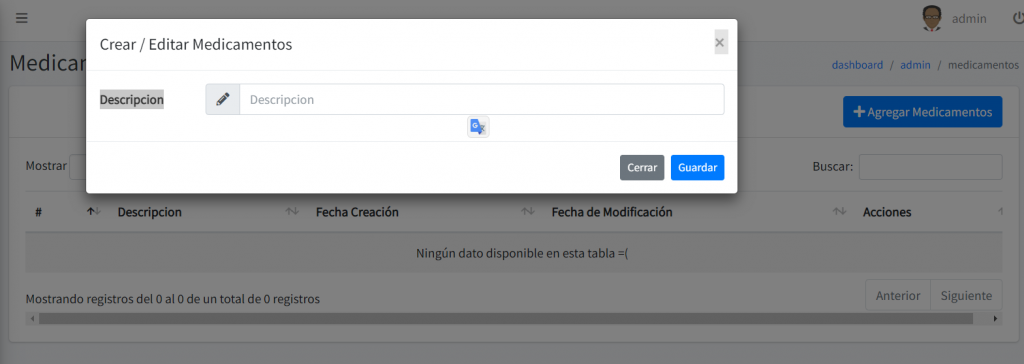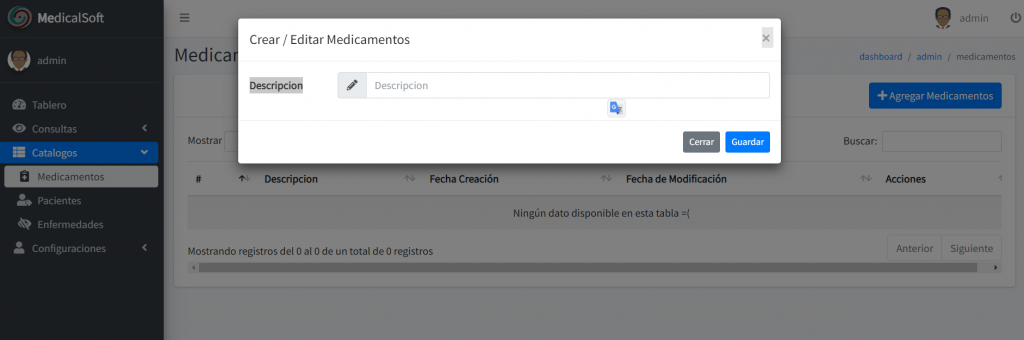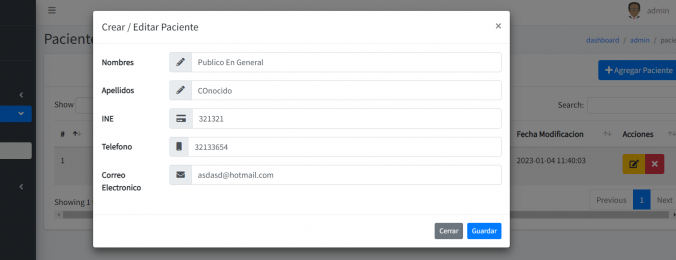
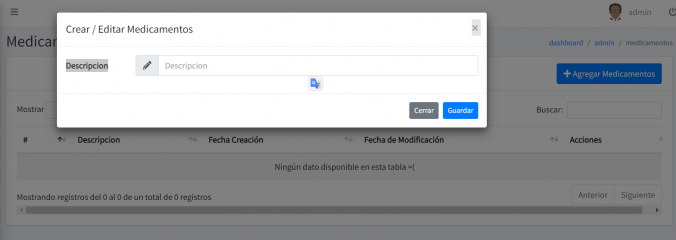
Ya por ultimo creamos un CRUD super básico para las enfermedades
Primero creamos la tabla
-- phpMyAdmin SQL Dump
-- version 5.0.4
-- https://www.phpmyadmin.net/
--
-- Servidor: 127.0.0.1
-- Tiempo de generación: 07-01-2023 a las 17:11:20
-- Versión del servidor: 10.4.17-MariaDB
-- Versión de PHP: 7.4.15

SET SQL_MODE = "NO_AUTO_VALUE_ON_ZERO";
START TRANSACTION;
SET time_zone = "+00:00";


/*!40101 SET @OLD_CHARACTER_SET_CLIENT=@@CHARACTER_SET_CLIENT */;
/*!40101 SET @OLD_CHARACTER_SET_RESULTS=@@CHARACTER_SET_RESULTS */;
/*!40101 SET @OLD_COLLATION_CONNECTION=@@COLLATION_CONNECTION */;
/*!40101 SET NAMES utf8mb4 */;

--
-- Base de datos: `medicalsoft`
--

-- --------------------------------------------------------

--
-- Estructura de tabla para la tabla `enfermedades`
--

CREATE TABLE `enfermedades` (
  `id` int(11) NOT NULL,
  `descripcion` varchar(256) COLLATE utf8_spanish2_ci NOT NULL,
  `created_at` datetime NOT NULL,
  `deleted_at` datetime NOT NULL,
  `updated_at` datetime NOT NULL
) ENGINE=InnoDB DEFAULT CHARSET=utf8 COLLATE=utf8_spanish2_ci;

--
-- Índices para tablas volcadas
--

--
-- Indices de la tabla `enfermedades`
--
ALTER TABLE `enfermedades`
  ADD PRIMARY KEY (`id`);

--
-- AUTO_INCREMENT de las tablas volcadas
--

--
-- AUTO_INCREMENT de la tabla `enfermedades`
--
ALTER TABLE `enfermedades`
  MODIFY `id` int(11) NOT NULL AUTO_INCREMENT;
COMMIT;

/*!40101 SET CHARACTER_SET_CLIENT=@OLD_CHARACTER_SET_CLIENT */;
/*!40101 SET CHARACTER_SET_RESULTS=@OLD_CHARACTER_SET_RESULTS */;
/*!40101 SET COLLATION_CONNECTION=@OLD_COLLATION_CONNECTION */;
Creamos el archivo EnfermedadesModel.php en app/models
<?php

namespace App\Models;

use CodeIgniter\Model;

class EnfermedadesModel extends Model
{
    protected $table      = 'enfermedades';
    protected $primaryKey = 'id';

    protected $useAutoIncrement = true;

    protected $returnType     = 'array';
    protected $useSoftDeletes = true;

    protected $allowedFields = ['id','descripcion', 'created_at','updated_at'];

    protected $useTimestamps = true;
    protected $createdField  = 'created_at';
    protected $deletedField  = 'deleted_at';

    protected $validationRules    =  [
        'descripcion'     => 'required|alpha_numeric_space|min_length[3]'

    ];
    protected $validationMessages = [];
    protected $skipValidation     = false;


}
Creamos el archivo EnfermedadesController.php en app/controller
<?php

namespace App\Controllers;

use App\Controllers\BaseController;
use App\Models\EnfermedadesModel;
use \App\Models\BitacoraModel;
use CodeIgniter\API\ResponseTrait;

class EnfermedadesController extends BaseController {

    use ResponseTrait;

    protected $bitacora;
    protected $enfermedades;

    public function __construct() {
        $this->enfermedades = new EnfermedadesModel();
        $this->bitacora = new BitacoraModel();
        helper('menu');
    }

    public function index() {


        if ($this->request->isAJAX()) {

            /*
              $start = $this->request->getGet('start');
              $length = $this->request->getGet('length');
              $search = $this->request->getGet('search[value]');
              $order = BitacoraModel::ORDERABLE[$this->request->getGet('order[0][column]')];
              $dir = $this->request->getGet('order[0][dir]');
             */

            $datos = $this->enfermedades->select('id,descripcion,created_at,updated_at')->where('deleted_at', null);
            // $resultado = $this->bitacora->findAll();
            // $this->bitacora->getResource()->countAllResults(),
            // $this->bitacora->getResource($search)->countAllResults()
            //      var_dump($datos);

            $dataTable =  \Hermawan\DataTables\DataTable::of($datos);
            return \Hermawan\DataTables\DataTable::of($datos)->add('action', function ($row) {
                                return " <div class=\"btn-group\">

                  <button class=\"btn btn-warning btnEditarEnfermedad\" data-toggle=\"modal\" idEnfermedad=\"$row->id\" data-target=\"#modalAgregarEnfermedades\">  <i class=\" fa fa-edit \"></i></button>
                  <button class=\"btn btn-danger btnEliminarEnfermedad\" idEnfermedad=\"$row->id\"><i class=\"fa fa-times\"></i></button></div>";
                            }, 'last')
                            ->toJson();
        }

        $titulos["title"] = lang('enfermedades.title');
        $titulos["subtitle"] = lang('enfermedades.subtitle');

        return view('enfermedades', $titulos);
    }

    /*
     * Lee paciente
     */

    public function traeEnfermedad() {


        $idEnfermedad = $this->request->getPost("idEnfermedad");
        $datosEnfermedad = $this->enfermedades->find($idEnfermedad);

        echo json_encode($datosEnfermedad);
    }

    /*
     * Guarda o actualiza paciente
     */

    public function guardar() {


        helper('auth');
        $userName = user()->username;
        $idUser = user()->id;

        $datos = $this->request->getPost();

        if ($datos["idEnfermedad"] == 0) {


            try {


                if ($this->enfermedades->save($datos) === false) {

                    $errores = $this->enfermedades->errors();

                    foreach ($errores as $field => $error) {

                        echo $error . " ";
                    }

                    return;
                }

                $datosBitacora["descripcion"] = "Se guardo la enfermedad con los siguientes datos: " . json_encode($datos);
                $datosBitacora["usuario"] = $userName;

                $this->bitacora->save($datosBitacora);

                echo "Guardado Correctamente";
            } catch (\PHPUnit\Framework\Exception $ex) {


                echo "Error al guardar " . $ex->getMessage();
            }
        } else {


            if ($this->enfermedades->update($datos["idEnfermedad"], $datos) == false) {

                $errores = $this->enfermedades->errors();
                foreach ($errores as $field => $error) {

                    echo $error . " ";
                }

                return;

            } else {

                $datosBitacora["descripcion"] = "Se actualizo el paciente con los siguientes datos: " . json_encode($datos);
                $datosBitacora["usuario"] = $userName;
                $this->bitacora->save($datosBitacora);
                echo "Actualizado Correctamente";

                return;
            }
        }

        return;


    }


     public function delete($id)
    {
        if (!$found = $this->enfermedades->delete($id)) {
            return $this->failNotFound(lang('enfermedades.msg.msg_get_fail'));
        }

        $infoEnfermedad = $this->enfermedades->find($id);

        $datosBitacora["descripcion"] = "Se elimino la enfermedad que contenia los siguientes datos ". json_encode($infoEnfermedad);

        $this->bitacora->save($datosBitacora);
        return $this->respondDeleted($found, lang('enfermedades.msg.msg_delete'));
    }

}
Creamos el archivo enfermedades en la carpeta app/views
<?= $this->include('agungsugiarto\boilerplate\Views\load\select2') ?>
<?= $this->include('agungsugiarto\boilerplate\Views\load\datatables') ?>
<?= $this->include('agungsugiarto\boilerplate\Views\load\nestable') ?>
<!-- Extend from layout index -->
<?= $this->extend('agungsugiarto\boilerplate\Views\layout\index') ?>

<!-- Section content -->
<?= $this->section('content') ?>

<?= $this->include('enfermedadesModulos\modalCaptura') ?>
<!-- SELECT2 EXAMPLE -->
<div class="card card-default">
    <div class="card-header">
        <div class="float-right">
            <div class="btn-group">

                <button class="btn btn-primary btnAgregarPaciente" data-toggle="modal" data-target="#modalAgregarEnfermedades"><i class="fa fa-plus"></i>

                    <?= lang('enfermedades.add') ?>

                </button>

            </div>
        </div>
    </div>
    <div class="card-body">
        <div class="row">
            <div class="col-md-12">
                <div class="table-responsive">
                    <table id="tablaEnfermedades" class="table table-striped table-hover va-middle tablaEnfermedades">
                        <thead>
                            <tr>


                                <th>#</th>
                                <th><?= lang('enfermedades.description') ?></th>

                                <th><?= lang('enfermedades.createdAt') ?></th>
                                <th><?= lang('enfermedades.updateAt') ?></th>
                                <th>Acciones </th>


                            </tr>
                        </thead>
                        <tbody>
                        </tbody>
                    </table>
                </div>
            </div>
        </div>
    </div>
</div>
<!-- /.card -->

<?= $this->endSection() ?>


<?= $this->section('js') ?>
<script>

    /**
     * Cargamos la tabla
     */


    function cargaTabla() {


         $('.tablaEnfermedades').DataTable({
         "ajax": "<?= route_to('admin/enfermedades') ?>",
         "deferRender": true,
         "serverSide": true,
         "retrieve": true,
         "processing": true

         });

    }


    cargaTabla();


    /**
     * Carga datos actualizar
     */


    /*=============================================
     EDITAR PACIENTE
     =============================================*/
    $(".tablaEnfermedades").on("click", ".btnEditarEnfermedad", function () {

        var idEnfermedad = $(this).attr("idEnfermedad");


        console.log("idEnfermedad ", idEnfermedad);

        var datos = new FormData();
        datos.append("idEnfermedad", idEnfermedad);

        $.ajax({

            url: "<?= route_to('admin/enfermedades/traerEnfermedad') ?>",
            method: "POST",
            data: datos,
            cache: false,
            contentType: false,
            processData: false,
            dataType: "json",
            success: function (respuesta) {
                console.log(respuesta);
                $("#idEnfermedad").val(respuesta["id"]);
                $("#descripcion").val(respuesta["descripcion"]);

            }

        })

    })


    /*=============================================
     ELIMINAR PACIENTE
     =============================================*/
    $(".tablaEnfermedades").on("click", ".btnEliminarEnfermedad", function () {

        var idEnfermedad = $(this).attr("idEnfermedad");


        Swal.fire({
            title: '<?= lang('boilerplate.global.sweet.title') ?>',
            text: "<?= lang('boilerplate.global.sweet.text') ?>",
            icon: 'warning',
            showCancelButton: true,
            confirmButtonColor: '#3085d6',
            cancelButtonColor: '#d33',
            confirmButtonText: '<?= lang('boilerplate.global.sweet.confirm_delete') ?>'
        })
                .then((result) => {
                    if (result.value) {
                        $.ajax({
                            url: `<?= route_to('admin/enfermedades') ?>/` + idEnfermedad,
                            method: 'DELETE',
                        }).done((data, textStatus, jqXHR) => {
                            Toast.fire({
                                icon: 'success',
                                title: jqXHR.statusText,
                            });

                           $(".tablaEnfermedades").DataTable().destroy();
                            cargaTabla();
                            //tableUser.ajax.reload();
                        }).fail((error) => {
                            Toast.fire({
                                icon: 'error',
                                title: error.responseJSON.messages.error,
                            });
                        })
                    }
                })
    })


</script>
<?= $this->endSection() ?>
En views Creamos la carpeta enfermedadesModulos y dentro de ella creamos el archivo modalCaptura.php y metemos el siguiente código
<!-- Modal Enfermedads -->
<div class="modal fade" id="modalAgregarEnfermedades" tabindex="-1" role="dialog" aria-labelledby="exampleModalLabel" aria-hidden="true">
<div class="modal-dialog modal-lg" role="document">
<div class="modal-content">
<div class="modal-header">
<h5 class="modal-title"><?= lang('enfermedades.createEdit') ?></h5>
<button type="button" class="close" data-dismiss="modal" aria-label="Close">
<span aria-hidden="true">×</span>
</button>
</div>
<div class="modal-body">
<form id="form-enfermedad" class="form-horizontal">
<input type="hidden" id="idEnfermedad" name="idEnfermedad" value="0">
<div class="form-group row">
<label for="inputName" class="col-sm-2 col-form-label"><?= lang('enfermedades.description') ?></label>
<div class="col-sm-10">
<div class="input-group">
<div class="input-group-prepend">
<span class="input-group-text"><i class="fas fa-pencil-alt"></i></span>
</div>
<input type="text" name="descripcion" id="descripcion" class="form-control <?= session('error.descripcion ') ? 'is-invalid' : '' ?>" value="<?= old('descripcion') ?>" placeholder="<?= lang('enfermedades.description') ?>" autocomplete="off">
</div>
</div>
</div>
</form>
</div>
<div class="modal-footer">
<button type="button" class="btn btn-secondary btn-sm" data-dismiss="modal"><?= lang('boilerplate.global.close') ?></button>
<button type="button" class="btn btn-primary btn-sm" id="btnGuardarEnfermedad"><?= lang('boilerplate.global.save') ?></button>
</div>
</div>
</div>
</div>
<?= $this->section('js') ?>
<script>
$(document).on('click', '.btnAgregarEnfermedad', function (e) {
console.log("asdasd");
$(".form-control").val("");
$("#idEnfermedad").val("0");
$("#btnGuardarEnfermedad").removeAttr("disabled");
})
/*
* AL hacer click al editar
*/
$(document).on('click', '.btnGuardarEnfermedad', function (e) {
var idEnfermedad = $(this).attr("idEnfermedad");
//LIMPIAMOS CONTROLES
$(".form-control").val("");
$("#idEnfermedad").val(idEnfermedad);
$("#btnGuardarEnfermedad").removeAttr("disabled");
})
/**
* Guardar paciente
*/
$(document).on('click', '#btnGuardarEnfermedad', function (e) {
var idEnfermedad = $("#idEnfermedad").val();
var descripcion = $("#descripcion").val();
$("#btnGuardarEnfermedad").attr("disabled", true);
var datos = new FormData();
datos.append("idEnfermedad", idEnfermedad);
datos.append("descripcion", descripcion);
$.ajax({
url: "<?= route_to('admin/enfermedades/guardar') ?>",
method: "POST",
data: datos,
cache: false,
contentType: false,
processData: false,
//dataType:"json",
success: function (respuesta) {
if (respuesta.match(/Correctamente.*/)) {
Toast.fire({
icon: 'success',
title: "Guardado Correctamente"
});
$('.tablaEnfermedades').DataTable().destroy();
cargaTabla();
$("#btnGuardarEnfermedad").removeAttr("disabled");
$('#modalAgregarEnfermedades').modal('hide');
} else {
Toast.fire({
icon: 'error',
title: respuesta
});
$("#btnGuardarEnfermedad").removeAttr("disabled");
// $('#modalAgregarEnfermedad').modal('hide');
}
}
}
)
});
</script>
<?= $this->endSection() ?>En app/languaje/en metemos el archivo de traducción en ingles enfermedades.php con el siguiente código
<?php

$enfermedades["descrption"] = "Description";

$enfermedades["createdAt"] = "Date Creation";
$enfermedades["updateAt"] = "Date Update";
$enfermedades["add"] = "Add disease";
$enfermedades["actions"] = "Actions";
$enfermedades["createEdit"] = "Create  / Edit disease";
$enfermedades["title"] = "Disease";
$enfermedades["subtitle"] = "List of diseases";

$enfermedades["msg_delete"] = "disease has deleted .";
$enfermedades["msg_get_fail"] = "The disease not exist or has deleted.";


return $enfermedades;
En app/languaje/esmetemos el archivo de traducción en español enfermedades.php con el siguiente código
<?php

$enfermedades["description"] = "Descripcion";

$enfermedades["createdAt"] = "Fecha Creación";
$enfermedades["updateAt"] = "Fecha de Modificación";
$enfermedades["add"] = "Agregar Enfermedades";
$enfermedades["actions"] = "Acciones";
$enfermedades["createEdit"] = "Crear  / Editar Enfermedades";
$enfermedades["title"] = "Enfermedades";
$enfermedades["subtitle"] = "Lista de Enfermedades";

$enfermedades["msg_delete"] = "La enfermedad ha sido eliminada .";
$enfermedades["msg_get_fail"] = "La enfermedad no existe o fue eliminada.";


return $enfermedades;
Por ultimo creamos las rutas en app/config/routes.php
    $routes->resource('enfermedades', [
        'filter' => 'permission:enfermedades-permiso',
        'controller' => 'EnfermedadesController',
        'except' => 'show'
    ]);

    $routes->post('enfermedades/guardar', 'EnfermedadesController::guardar');

    $routes->post('enfermedades/traerEnfermedad', 'EnfermedadesController::traeEnfermedad');